Bonding
Configure a bond using the ngsetup installer. In this example, two 100 Gbit/s ports form bond0 using LACP and the l34 distribution policy.
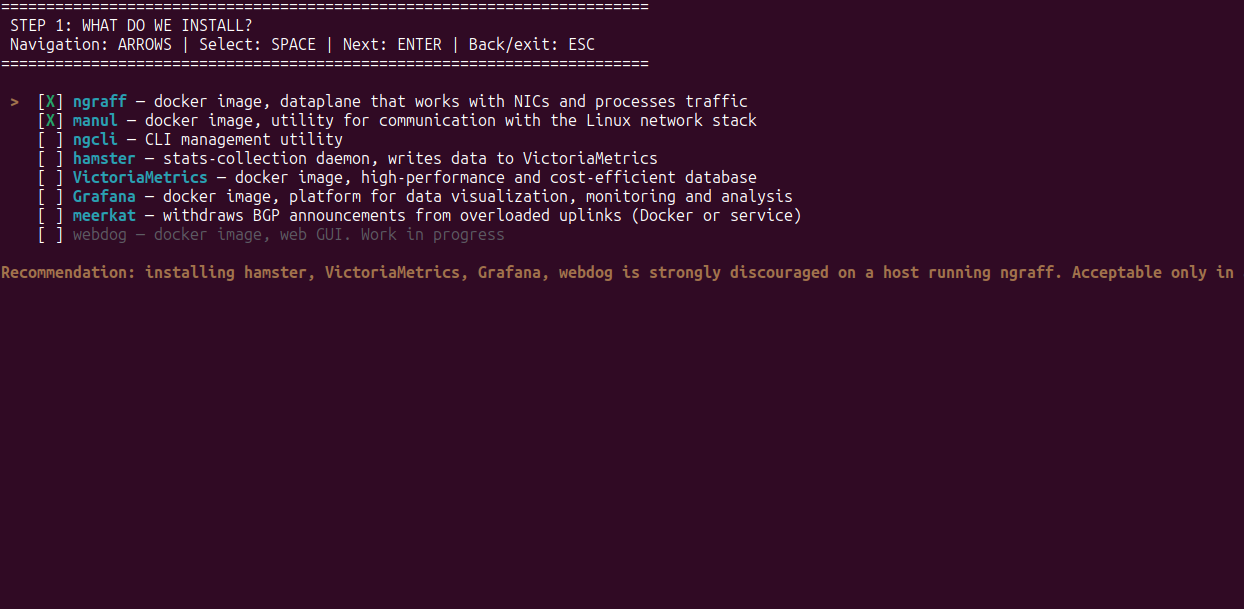
1. Select components
Select ngraff, the dataplane that processes traffic. Manul is also selected in this example to communicate with the Linux network stack. Press Space to select components and Enter to continue.
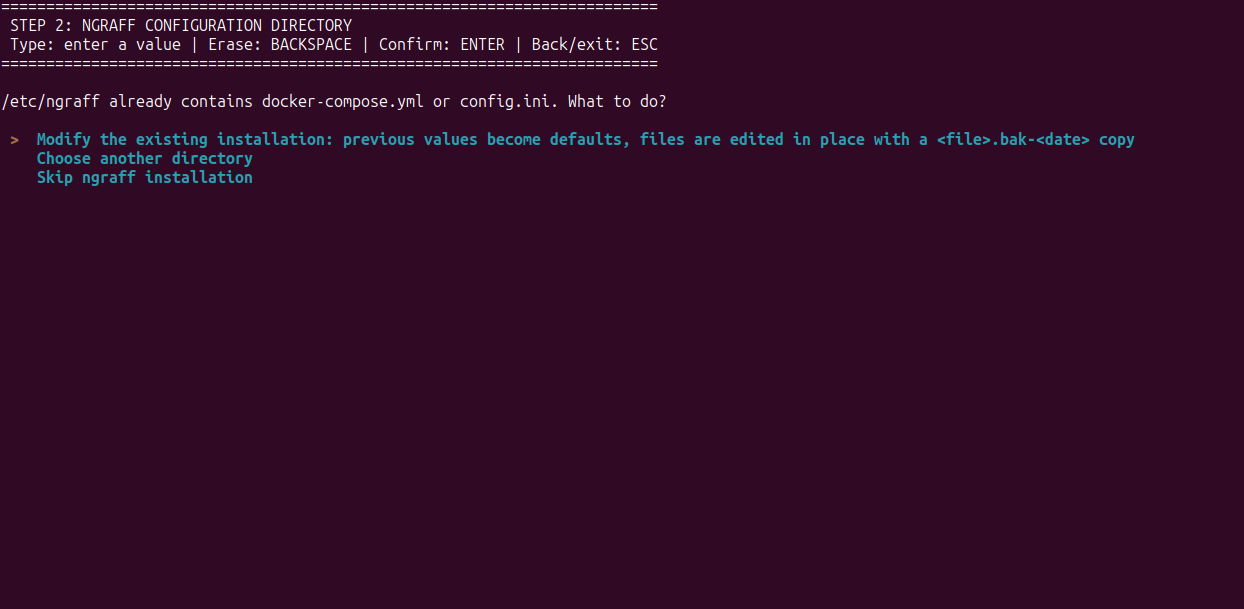
2. Configuration directory
If /etc/ngraff already contains docker-compose.yml or config.ini, choose to modify the existing installation. The installer uses the current values as defaults and creates backup copies of modified files. You can also choose another directory.
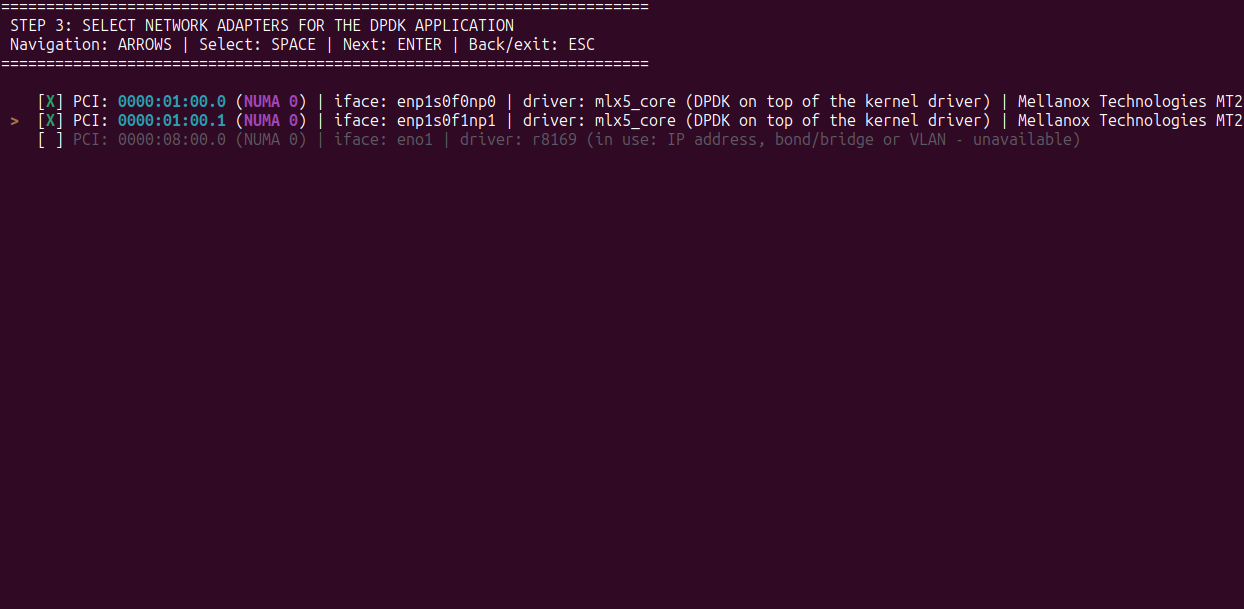
3. Select network adapters
Select the network ports NGRaff will use. This example selects two 100 Gbit/s Mellanox ports. The eno1 port is in use by the system and cannot be selected.
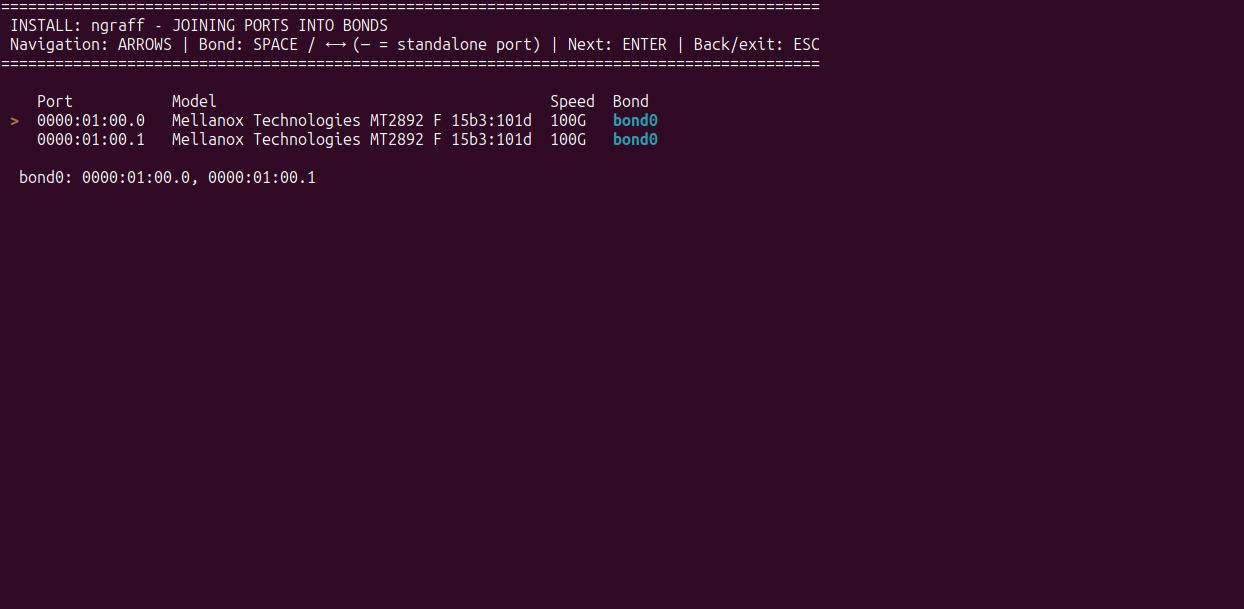
4. Join ports into a bond
Assign both ports to the same bond0 group. The group members are listed below: 0000:01:00.0 and 0000:01:00.1. Use Space or the left/right arrows to change groups; “—” leaves a port standalone.
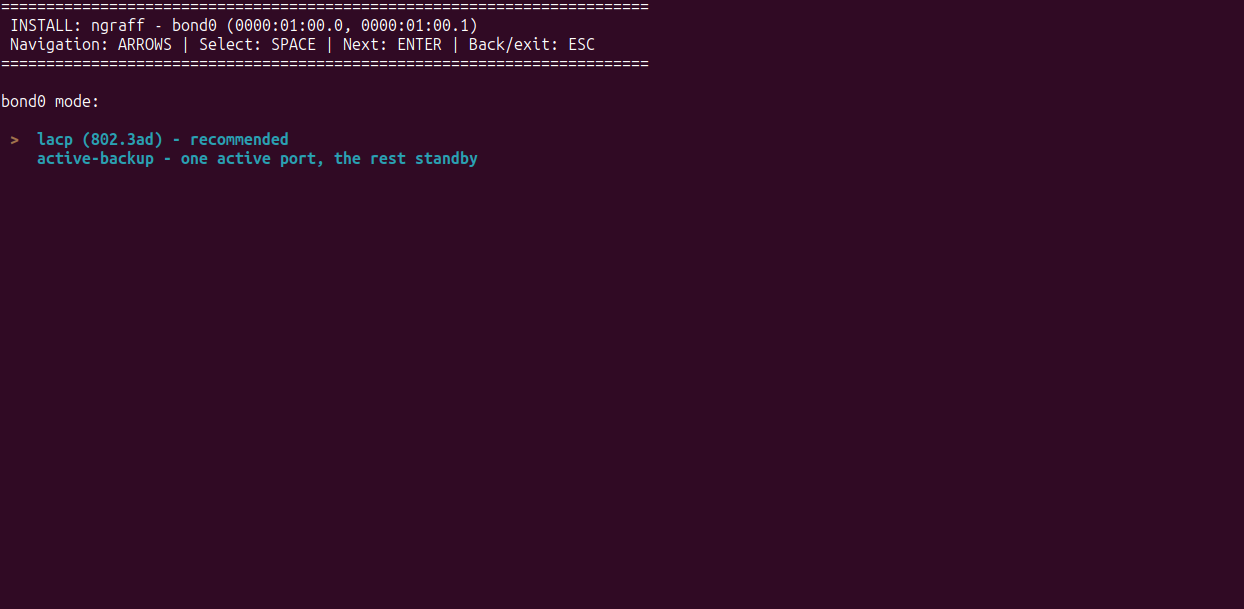
5. Choose the bond mode
Choose lacp (802.3ad) for link aggregation, or active-backup to keep one port active and the others on standby. This example uses LACP; configure matching aggregation on the switch.
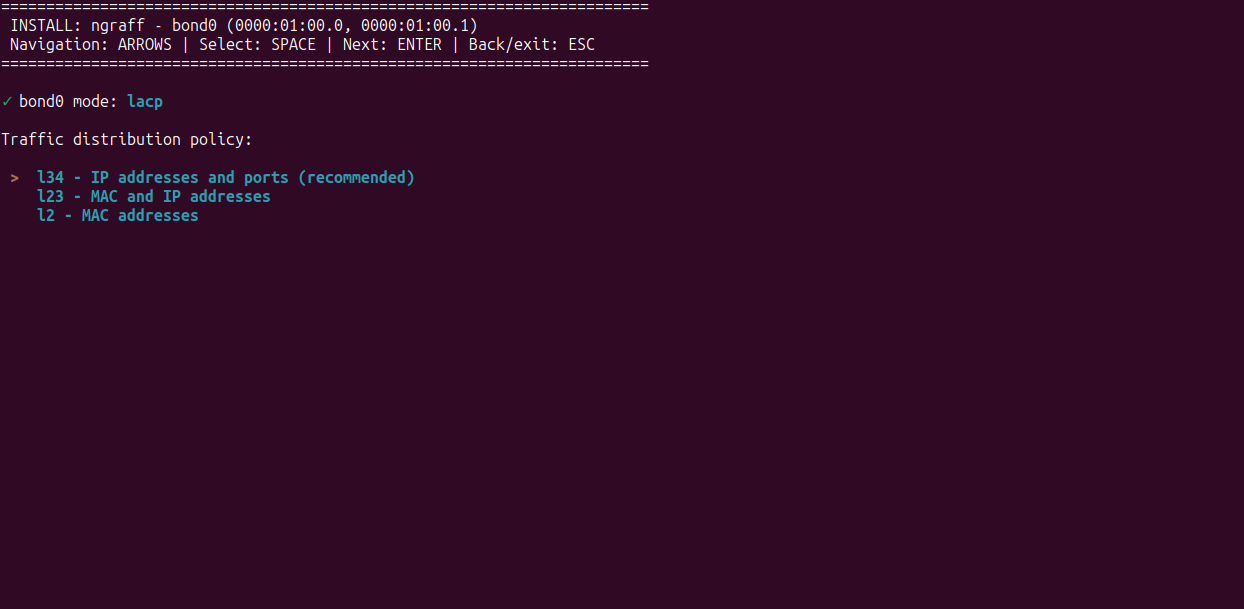
6. Traffic distribution policy
For LACP, select how outgoing traffic is distributed across member ports. The screenshot selects l34, based on IP addresses and TCP/UDP ports. Other options are l23, based on MAC and IP addresses, and l2, based on MAC addresses.
Use the buttons or swipe to switch steps. Click a screenshot to open it at full size.
Once setup is complete, the installer updates the docker-compose.yml file. All that remains is to restart the Docker container.
Checking Bond status
The following commands are available in the ngcli console:
| Command | Description |
|---|---|
bond list |
Show port-channels (bonds): mode, link and members. |
bond status |
Show members of all bonds: link, speed, LACP state and counters. |
bond status <BOND> |
Show members of the selected bond: link, speed, LACP state and counters. |
bond list
BOND      PORT MODE          POLICY/PRIMARY   LINK  ACTIVE  MEMBERS
bond0        2 lacp          l34              up         2  port0=0, port1=1
bond status
bond0: port 2, lacp, link up, 2 of 2 active
MEMBER PORT LINK SPEED ACTIVE RX TX RX_ERR TX_ERR MISSED
port0 0 up 100G yes 1250000 1180000 0 0 0
port1 1 up 100G yes 1230000 1200000 0 0 0
MEMBER LACP PARTNER PORT KEY ACTOR PARTNER FLAGS
port0 in aggregate 02:00:00:00:00:10 1 10 act,short,agg,sync,col,dist act,short,agg,sync,col,dist
port1 in aggregate 02:00:00:00:00:10 2 10 act,short,agg,sync,col,dist act,short,agg,sync,col,dist